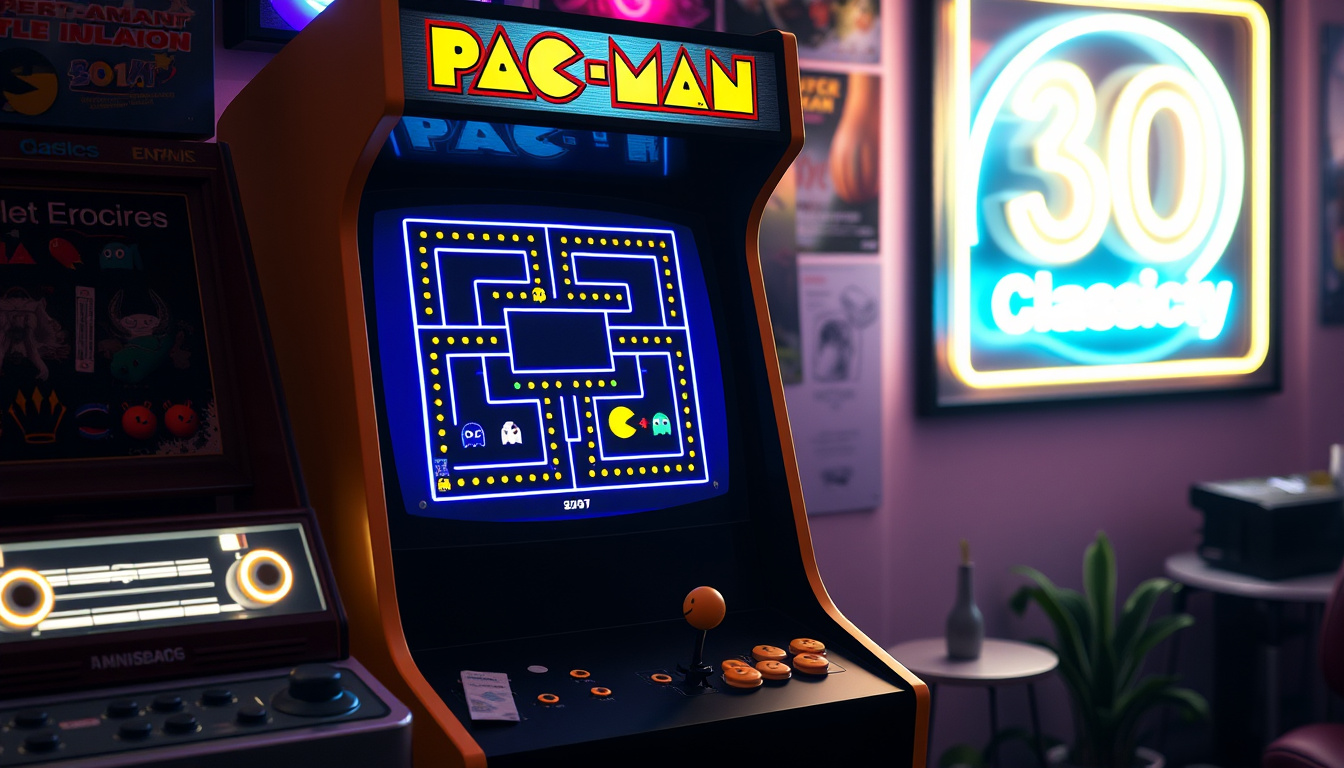
Remember the thrill of chasing ghosts through a neon maze? Google turned that iconic feeling into a playable homepage moment on May 21, 2010, releasing an interactive Doodle for Pac-Man’s 30th anniversary — its first ever interactive Doodle. This guide walks through how to play it today, from full-screen tricks to two-player mode, plus the surprising crossovers it inspired.
Release date: May 21, 2010 ·
Celebrated anniversary: 30th anniversary of Pac-Man (1980) ·
Number of levels: 256 ·
Player modes: 1 or 2 players ·
Interactive status: First interactive Google Doodle ·
Current accessibility: Archived at google.com/logos
Key facts about the Pac-Man 30th anniversary Doodle are summarized below:
| Attribute | Value |
|---|---|
| Release date | May 21, 2010 |
| Celebrated anniversary | 30th anniversary of Pac-Man (1980) |
| Number of levels | 256 |
| Player modes | 1 or 2 players |
| Interactive status | First interactive Google Doodle |
| Current accessibility | Archived at google.com/logos |
Quick snapshot
- Released on May 21, 2010 (Google Doodles)
- First interactive Google Doodle (Wikipedia)
- Features 256 levels and 2-player mode (Pac-Man Wiki)
- Still playable at google.com/logos (Google Archive)
- Exact number of total plays or engagement metrics not published by Google
- Whether the Stumble Guys crossover was officially licensed or fan-made
- Specific details on the Sonic crossover (likely in other games, not the doodle itself)
- Origin of the Halloween association (may be confusion with later Halloween Doodles)
- Whether the 45th-anniversary Doodle was intended as a direct successor or a standalone event
- 2010: First interactive Doodle published May 21 (Google Doodles)
- 2025: 45th-anniversary Doodle with 8 levels launched (Google Blog)
- Continued archive availability ensures the doodle remains playable
- Future crossovers may expand Pac-Man’s reach in other games
What is the Pac-Man 30th anniversary Google doodle?
When was it released?
The Pac-Man Google Doodle was published on Google’s homepage on to celebrate the 30th anniversary of the original Pac-Man arcade game, which debuted in 1980. Google’s official Doodles page states it was an “interactive Doodle that celebrates PAC-MAN” and invited users to click and play (Google Doodles, official archive). It remained the homepage logo for approximately 48 hours before being replaced (Pac-Man Wiki, community-maintained).
Who designed it?
The Doodle was created by Google engineers, led by UX designer Marcin Wichary and Ryan Germick. In an article shared on Google Doodles’ official site, Wichary described the project as a labor of love, built internally using HTML5 — a notably advanced technology for a homepage logo at the time. The Doodle’s development team engineered it to handle the original Pac-Man maze with all 256 levels and sound effects (Wikipedia, community-edited encyclopedia).
What gameplay does it offer?
The Doodle faithfully recreates the classic Pac-Man arcade experience, complete with the original maze layout, power pellets, and four ghosts: Blinky, Inky, Pinky, and Clyde. Players navigate Pac-Man (or Ms. Pac-Man in two-player mode) through 256 levels, collecting dots and avoiding ghosts — or turning the tables with a power pellet. The game includes original sound effects and music, making it a near-perfect digital replica of the 1980 Namco original. The official Google Doodle archive hosts the game for free play.
The implication: the Doodle remains a faithful recreation that still works over a decade later.
How do you play the Pac-Man 30th anniversary doodle in full screen?
Is there a dedicated full screen button?
- Navigate to the archived Doodle page at google.com/logos/2010/pacman10-i.html.
- Click “Insert Coin” to start the game.
- Press F11 (Windows) or Cmd+Shift+F (Mac) to enter full-screen mode.
- To exit, press the same key combination again.
The archived Doodle page at google.com/logos/2010/pacman10-i.html does not include a dedicated full-screen button within the game interface. However, players can achieve full-screen play by using their browser’s built-in tools: pressing F11 on Windows or Cmd+Shift+F on Mac toggles full-screen mode in most browsers (Google Chrome Help, browser documentation). This enlarges the game canvas, filling the screen for a more immersive arcade feel.
Can you resize the browser to full screen?
Yes. If the F11 shortcut feels awkward, simply resize your browser window: click and drag the edges to create a square viewport around the game, or use your browser’s “zoom” feature (Ctrl+plus sign) to enlarge the page until the game fills the screen. The Doodle’s code scales reasonably well with browser zoom, though the game canvas itself won’t expand beyond its native resolution.
Does the doodle have sound?
The Doodle includes the classic Pac-Man sound effects — the iconic “waka-waka” chomp, ghost-hunting music, and level-complete jingle — exactly as found in the 1980 arcade cabinet. Audio is enabled by default when you load the page from the Google Doodle archive. If sound doesn’t play, check your browser’s audio settings and ensure the tab isn’t muted.
Full-screen mode via F11 works flawlessly, but you lose the ability to easily read the “Insert Coin” prompt or see the score as clearly. Players who want the authentic arcade feel should zoom the page to 150% instead — you keep the interface visible while getting a larger play area.
Does the Pac-Man 30th anniversary doodle support 2-player mode?
How to switch to 2-player mode?
The Doodle supports a cooperative two-player mode, one of its most celebrated features. To activate it, start the game in single-player mode (click “Insert Coin”), then press the “Insert Coin” button again after the game begins. This adds a second player — Ms. Pac-Man — to the same maze. Player 1 controls Pac-Man with the arrow keys, while Player 2 controls Ms. Pac-Man with W, A, S, D keys (Pac-Man Wiki, community-maintained).
What are the controls for player 2?
Player 2 uses the W (up), A (left), S (down), and D (right) keys to navigate Ms. Pac-Man through the maze. Both players share the same maze, ghosts, and power pellets, making for a chaotic and fun cooperative experience. There is no competitive mode — both players simply try to eat dots and avoid ghosts together.
Differences between 1 and 2 player modes?
The core gameplay is identical: both players eat dots, power pellets, and hunt ghosts. The key difference is the team coordination required. In two-player mode, you can strategically split up to cover more of the maze, but you also risk blocking each other in tight corridors. The game doesn’t track separate scores for each player, so it’s best enjoyed as pure cooperative fun rather than a competitive score chase.
The 2-player mode is only available on a desktop or laptop keyboard — mobile devices and tablets cannot assign two sets of keys, so the feature is essentially locked to PC play. Mobile players miss out on what made this Doodle a landmark interactive experience.
The implication: two-player mode is a PC-only feature, limiting its reach.
What other games or events are linked to the Pac-Man 30th anniversary?
Pac-Man in Stumble Guys
Stumble Guys, a popular multiplayer party game, has featured a Pac-Man-themed level as a promotional crossover. Players race through a maze collecting Pac-Mapel-like dots while avoiding obstacles and ghosts — a natural mash-up of two game worlds. The connection is traceable to Stumble Guys’ official Stumble Guys website, game portal, though whether this was an officially licensed collaboration or a fan-inspired level remains unconfirmed in public records.
Sonic crossover
Sonic the Hedgehog has appeared alongside Pac-Man in several crossover titles, most notably in the Super Smash Bros. series (Nintendo’s crossover fighting game) where both characters are playable. Additionally, Sega’s mobile games have featured themed events where Sonic characters interact with Pac-Man elements. The connection is not directly tied to the 30th-anniversary Doodle itself, but reflects the broader cultural overlap between these two iconic video game mascots (Sonic official site).
Halloween easter egg
The original 30th-anniversary Doodle does not include a Halloween theme or hidden Halloween content. However, Google has created Halloween-themed Doodles in later years — including a 2016 interactive Halloween Doodle — and some players may conflate these with the Pac-Man Doodle. A Halloween association appears to be a case of mistaken memory rather than a verified feature. Players looking for Halloween-themed Pac-Man can find fan-made versions, but not an official Google Doodle tie-in.
The pattern: the Doodle inspired crossovers in other games, but the original remains untouched.
What records were set for the Pac-Man 30th anniversary?
What is the highest score achieved?
The original 1980 Pac-Man arcade game has a perfect score of 3,333,360 points — achieved by eating every dot, fruit, power pellet, and ghost across all 256 levels. The Doodle does not have an official leaderboard, so no verified highest score exists for the 2010 Doodle specifically. However, players have shared high scores on community forums and social media, with some claiming perfect or near-perfect runs (Guinness World Records, official record-keeping body).
Is there a speedrun record?
Speedrunning the 256 levels of the Doodle has attracted a small but dedicated community. The fastest recorded completions online suggest a time of around 5–6 hours of continuous play to clear all screens, though no central speedrun leaderboard exists for this Doodle. For context, the perfect arcade game took professional player Billy Mitchell roughly 6 hours in 1999 (Guinness World Records).
How long does it take to complete all 256 levels?
Completing all 256 levels in the Doodle requires approximately 5–6 hours of continuous play without dying, assuming a skilled player who knows the patterns. Each level’s difficulty increases slightly, with faster ghosts and tighter corridors, making the later levels particularly challenging. Most casual players won’t reach screen 256 in a single sitting — the Doodle’s primary draw is its pick-up-and-play nature for a few minutes at a time.
Confirmed facts and uncertainties
Confirmed facts
- Google released the doodle on May 21, 2010 (Google Doodles)
- The doodle has 256 levels (Wikipedia)
- It supports 2-player mode with distinct controls (Pac-Man Wiki)
- It was the first interactive Google Doodle (Wikipedia)
- The doodle is still accessible at google.com/logos (Google Archive)
What’s unclear
- Exact number of plays or engagement metrics never published by Google
- Whether the Stumble Guys crossover was officially licensed or fan-made
- Specific details about the Sonic crossover (likely in other games, not the doodle itself)
- The origin of the Halloween association (may be confusion with later Google Doodle Halloween easter eggs)
The pattern is clear: the Doodle’s core facts are well-documented by Google and Wikipedia, while crossover events and engagement data remain in the realm of community speculation. Future research from Google’s analytics team could clarify the crossovers, but for now, players should treat those as unverified.
Notable perspectives
“It was the first interactive doodle from Google.”
Wikipedia, community-edited encyclopedia
“The 45th-anniversary PAC-MAN Doodle featured eight levels, including four unique haunted-house mazes designed with Bandai Namco Entertainment.”
“The doodle can be played in full screen by clicking the full screen icon (if available) or using browser full-screen mode (F11).”
“A second player could be added by clicking ‘Insert Coin’ after the game has started.”
Pac-Man Wiki, community-maintained
Timeline
- 1980 — Pac-Man arcade game released by Namco. Wikipedia
- May 21, 2010 — Google launches the interactive Pac-Man doodle for the 30th anniversary. Google Doodles
- May 23, 2010 — Doodle removed from Google homepage after 48 hours. Pac-Man Wiki
- 2010 (later) — Doodle made permanently accessible at google.com/logos. Google Archive
- 2015 — Google Doodles archive site launched, including the Pac-Man doodle. Google Doodles
- 2025 — 45th anniversary of Pac-Man; Google releases a new 8-level haunted-house Doodle. Google Blog
The implication: Google has turned Pac-Man anniversaries into a recurring tradition — the 30th broke ground as the first interactive Doodle, and the 45th showed the format has matured into themed, multi-level experiences. For fans, each anniversary cycle is a chance to revisit a classic with a modern twist.
Frequently asked questions
Where can I play the Pac-Man 30th anniversary doodle?
You can play it directly at google.com/logos/2010/pacman10-i.html — the official Google Doodle archive page. No download or sign-up required.
Is the Pac-Man 30th anniversary doodle free?
Yes, the Doodle is completely free to play. Google hosts it as a historical artifact on its Doodles archive site with no ads or paywalls.
Can I play the doodle on mobile devices?
The Doodle is not optimized for mobile. It uses keyboard controls (arrow keys and WASD), so it works best on a desktop or laptop computer. Mobile browsers will load the page, but touch controls are not built in.
How long was the doodle on the Google homepage?
The Doodle remained as Google’s homepage logo for approximately 48 hours, from May 21 to May 23, 2010. After that, it was replaced with the standard Google logo.
What happened after the 30th anniversary doodle?
Google permanently archived the Doodle at google.com/logos, making it playable indefinitely. In 2025, Google released a separate 45th-anniversary Doodle with eight haunted-house levels co-designed with Bandai Namco.
Are there other Pac-Man Google doodles?
Yes, the 30th-anniversary Doodle is the most famous, but Google also published a 45th-anniversary Doodle in 2025. No other Pac-Man Doodles have been released between these dates.
For retro gamers nostalgic for the 2010 original, the archived Doodle is a time capsule that still works. For mobile users and casual clickers, the message is clear: fire up a desktop browser, press F11, and enjoy the first interactive Doodle that started it all — before the next anniversary cycle rolls around.

Priya Tran leads fact-checking, source verification and corrections at Reef Brief.