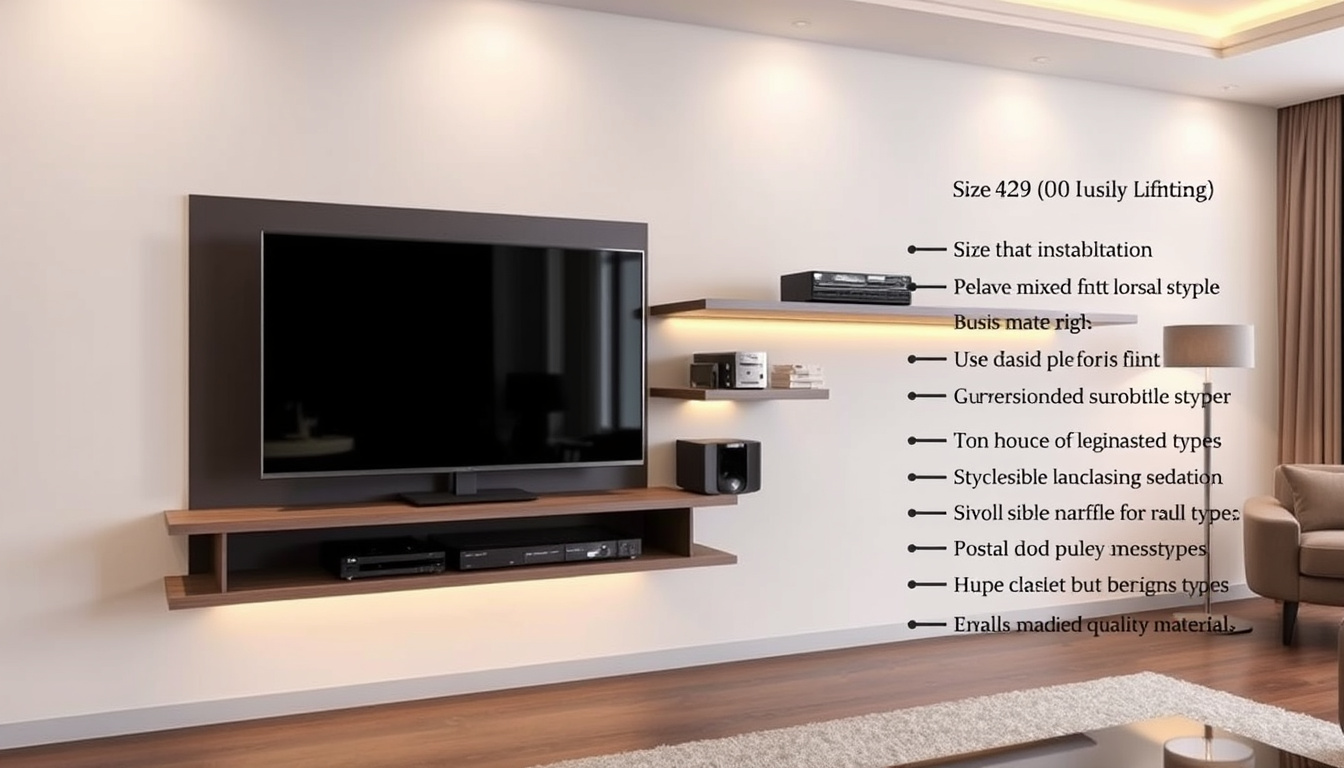
A floating TV unit—also referred to as a wall-mounted TV unit, floating entertainment center, or modern TV wall shelf—attaches directly to the wall, creating a clean, elevated look that frees up floor space. These units have grown increasingly popular in contemporary homes, where minimalist aesthetics and efficient space usage take priority. Unlike traditional television stands, floating designs eliminate visible legs or bases, allowing flooring to remain visible and making rooms feel larger. Manufacturers now offer these units in various widths, materials, and finishes, catering to everything from compact apartments to spacious living rooms.
The 2026 market reflects clear trends toward minimalist wood and metal finishes, integrated LED lighting systems, and hidden storage compartments designed for cable management. Whether someone seeks a sleek floating TV cabinet for a bedroom or a substantial floating entertainment center for a home theater, understanding installation requirements, sizing guidelines, and material options helps ensure a proper fit. This guide covers essential information for selecting and mounting a floating TV unit that meets both functional and aesthetic needs.
What Is a Floating TV Unit?
A floating TV unit serves as a wall-mounted platform designed to hold a television and associated equipment such as gaming consoles, streaming devices, and soundbars. The defining characteristic involves the unit appearing to “float” against the wall without visible support structures underneath. This design approach emerged from broader interior design movements favoring clean lines, open floor plans, and multifunctional furniture. Interior designers frequently recommend floating units for rooms where traditional furniture might disrupt traffic flow or visual harmony.
Floating TV units eliminate the footprint of traditional console stands, creating the illusion of more floor space. This proves particularly valuable in smaller living rooms, studios, or open-concept layouts where every square foot matters.
Definition and Benefits
Wall-attached platforms that elevate TVs while concealing cables and creating visual openness. Benefits include easier floor cleaning and customizable height positioning.
Popular Materials
Solid wood offers durability and natural aesthetics. MDF provides affordability with smooth finishes. Metal constructions deliver maximum strength for heavier setups.
Price Range
Budget-friendly MDF options start around $100, while solid wood units typically cost $300–$500. Metal designs generally fall between $200–$400 depending on complexity.
Key Sizes Available
Standard widths range from 48 to 72 inches. Smaller units accommodate bedrooms and offices, while larger configurations support big-screen televisions in home theaters.
Key Insights on Floating TV Units
- Stud mounting determines sturdiness more than material choice—always secure to wall studs for heavy loads
- 2026 designs emphasize integrated LED backlighting that creates ambient lighting behind the television
- Hidden cable management channels keep wiring completely concealed from view
- Open shelving configurations work well for soundbars and streaming devices
- Eco-friendly MDF with metal accents represents a growing segment of the market
- Safety straps and anti-tip features provide essential protection in households with children
- Weight capacity specifications vary significantly—verify manufacturer ratings against total equipment weight
| Feature | Details |
|---|---|
| Maximum Weight Capacity | 50–200 lbs depending on model and mounting method |
| Mount Type | French cleat, L-brackets, or manufacturer-provided hardware |
| Common Materials | Engineered wood, medium-density fiberboard, solid wood, metal |
| Installation Time | 1–2 hours for standard units; longer for custom installations |
| Standard Widths | 48–72 inches with options outside this range for specific needs |
| Recommended TV Size | Units typically accommodate TVs from 55 inches upward |
How to Install a Floating TV Unit
Proper installation forms the foundation of a secure and functional floating TV unit. The process begins with gathering the necessary tools: a reliable stud finder, measuring tape, level, power drill, and appropriate screws or anchors. Manufacturers consistently emphasize that wall studs provide the only adequate support for heavy television equipment—drywall anchors alone cannot safely support the combined weight of the unit and electronics. Taking time to locate and mark stud positions prevents costly errors and potential damage.
Locating Wall Studs and Marking Positions
Standard wall studs sit approximately 16 inches apart, though this spacing can vary in older homes. Using a quality stud finder, scan the wall systematically and mark each stud location with painter’s tape. Identify at least two or three studs that align with your unit’s mounting points. Place marks at the top corners of where the stand will sit, then use a level to ensure these marks sit perfectly horizontal. This step prevents the frustration of discovering crooked installation after everything is secured.
Mounting Brackets and Securing the Unit
Drill pilot holes through your marked positions, then attach the wall brackets using screws specifically rated for the weight you intend to support. Many installation guides recommend screws at least 2.5 inches long that penetrate fully into the studs. Once brackets are firmly in place, secure the corresponding hardware to the back of the floating unit itself. With a helper present, lift the unit and align it with the wall brackets, then lock everything into position according to the manufacturer’s instructions. Double-check that the unit sits level before tightening all connections completely.
Industry recommendations suggest positioning the top of the stand between 20–24 inches from the floor for standard seating. For recliners or lower seating, 18–22 inches works better. The television should center at approximately 40–42 inches from the floor, leaving 8–12 inches of space below the screen for comfortable viewing angles.
Several common mistakes compromise installation quality. Guessing stud locations rather than using a finder often leads to anchored points that cannot support intended loads. Setting incorrect height forces uncomfortable viewing angles. Skipping safety margins by mounting close to weight limits leaves no buffer for dynamic loads when equipment vibrates or moves. Videos demonstrating floating TV stand installation show French cleat systems offering easier leveling adjustments compared to fixed bracket approaches.
What Size Floating TV Unit Do I Need?
Selecting the correct width involves a straightforward principle: the floating unit should extend 12–24 inches beyond the television on each side. This overhang provides visual balance while offering practical space for remote controls, decorations, or small equipment. For a 55-inch television, this calculation yields a recommended unit width of 60–70 inches. Larger televisions demand proportionally wider stands to maintain proportions and accommodate associated devices.
Measure your television’s width, then add 24–48 inches total (12–24 inches per side) to determine minimum stand width. For 65–75 inch screens, look for units 70–85 inches wide. Screens 85 inches and larger typically require stands exceeding 90 inches.
Weight Capacity Requirements
Understanding weight capacity prevents structural failures and potential damage. A 55-inch television typically weighs 40–60 pounds, and this figure multiplies quickly when adding gaming consoles, audio equipment, and decorative items. Industry standards recommend selecting units rated for at least 20–30 percent more than your anticipated total load. This safety margin accommodates dynamic weight from vibrations and ensures long-term reliability.
| TV Size | Recommended Width | Weight Capacity | Mounting Notes |
|---|---|---|---|
| 55 inches | 60–70 inches | 75–150 lbs | Secure to 2–3 studs; consider TV safety strap for households with children |
| 65–75 inches | 70–85 inches | 100–200 lbs | Metal brackets provide essential support for heavier loads |
| 85–100 inches | 90+ inches | 150–300 lbs | Professional installation recommended for these larger configurations |
Weight capacities vary considerably between manufacturers and materials. Always verify specifications directly with the manufacturer rather than relying on general estimates. The Floating TV Stand Size Guide provides detailed recommendations based on specific television dimensions and room configurations.
Are Floating TV Units Sturdy Enough for TVs?
The sturdiness of a floating TV unit depends primarily on installation quality rather than material selection alone. When properly mounted to wall studs using appropriate hardware, floating units demonstrate excellent stability comparable to traditional floor-standing furniture. User reviews of popular brands like Walker Edison highlight satisfaction with assembly ease and structural integrity when installation guidelines are followed. Conversely, units mounted to drywall without stud engagement frequently fail and pose safety hazards.
Material Comparisons and Load Ratings
Metal constructions provide the highest load-bearing capacity and resist warping or moisture damage over time. Solid wood offers substantial support when sealed properly and delivers premium aesthetics, though the material adds considerable weight to the installation. MDF remains the most affordable option but requires vigilant stud mounting due to lower inherent strength—moisture exposure can cause swelling and structural compromise.
| Material | Advantages | Disadvantages | 2026 Price Range | Sturdiness |
|---|---|---|---|---|
| Solid Wood | Natural appearance, durable, premium feel | Heavier, higher cost, prone to warping if unsealed | $300–$500 | High (when properly sealed) |
| MDF | Affordable, smooth finish, lightweight | Less durable, swells when exposed to moisture | $100–$250 | Medium (requires stud mounting) |
| Metal | Maximum support, modern aesthetic, rust-proof finishes available | Industrial appearance, susceptible to denting | $200–$400 | Highest |
Wood and MDF dominate the storage-focused floating unit market, while metal constructions typically serve simpler shelf applications. The Floating TV Stand Guide 2026 notes that metal brackets consistently outperform wood-only mounting systems when supporting heavier equipment loads.
Evolution of Floating TV Unit Design
Floating television furniture emerged as a distinct category during the early 2010s as minimalist interior design philosophies gained mainstream acceptance. The initial wave featured basic wall shelves with limited weight capacity and minimal cable management. By the mid-2010s, manufacturers began incorporating hidden mounting systems and dedicated storage compartments. The late 2010s and early 2020s introduced integrated lighting solutions and smart storage configurations designed around streaming devices. Current 2026 models represent the culmination of these developments, incorporating LED backlighting, eco-friendly materials, and sophisticated cable concealment systems as standard features rather than premium upgrades.
Understanding What Is Known and Unknown About Floating TV Units
While general installation principles and size recommendations are well-established across multiple sources, specific weight capacities and durability claims vary between manufacturers. DIY installations may not match the performance of professionally mounted units due to differences in hardware quality and technique.
Established Information
Multiple independent sources confirm that properly installed floating TV units adequately support televisions ranging from 55 to 75 inches when mounted to wall studs. The 12–24 inch overhang recommendation appears consistently across installation guides, manufacturer specifications, and consumer reviews. Stud mounting represents the universal requirement across all expert sources—no credible guide recommends drywall-only installation for television support. Price ranges for each material category also show strong consistency between sources, with MDF occupying the budget segment and solid wood commanding premium pricing.
Information That Requires Verification
Exact weight capacities for specific models should always be confirmed directly with manufacturers, as testing standards and rated capacities vary between companies. DIY installation quality depends heavily on individual skill levels and tool availability, making it difficult to predict outcomes universally. Long-term durability claims remain largely anecdotal since comprehensive longitudinal studies of consumer installations do not exist. Compatibility with specific television models and wall types requires case-by-case assessment rather than general guidance.
Modern Decor Fit and Practical Considerations
Floating TV units complement contemporary interior design through their clean visual presentation and efficient use of vertical space. The gap between the unit and floor creates visual breathing room that makes spaces feel more open. This effect proves particularly pronounced in smaller rooms where traditional consoles can make areas feel cramped or cluttered. Open floor plans benefit especially from floating designs, which maintain sightlines while providing necessary television support.
Cable management presents both a practical challenge and an opportunity with floating units. Modern designs incorporate internal channels and rear access panels that route wiring invisibly. This approach eliminates the tangled cords visible beneath conventional stands while simplifying cleaning underneath the unit. Some homeowners invest in power management systems that coordinate multiple devices through a single clean connection point.
Common mistakes extend beyond installation to include mismatched proportions and inappropriate styling. A unit too small for its television looks awkward and may not provide adequate support. Similarly, a floating unit with ornate traditional styling disrupts modern spaces just as a sleek minimalist design would feel out of place in a classically decorated room. Selecting a unit that harmonizes with existing furniture and architectural elements ensures cohesive results.
Interior design professionals consistently recommend floating TV units for spaces where traffic flow and visual openness take priority. The key lies in ensuring adequate wall structure and selecting proportions that match the television and surrounding furniture.
Where to Find Reliable Information and Expert Guidance
Manufacturer resources provide the most specific guidance for individual products. Belleze installation guides offer detailed instructions for specific models, including tool requirements and step-by-step mounting procedures. These resources typically include video demonstrations that clarify complex steps. DIY community videos on platforms like YouTube demonstrate variations including French cleat installations and custom builds using plywood frames with metal bracket supports.
Consumer reviews provide practical insights that specifications cannot capture. Reviews frequently address assembly quality, hardware adequacy, and real-world load capacity. However, reviewers rarely disclose whether installations followed manufacturer guidelines, making it difficult to distinguish product failures from installation errors. Seeking reviews from verified purchasers who describe their installation process helps contextualize feedback.
Independent buying guides aggregate information across multiple sources to provide comparative analysis. The Floating TV Stand Guide 2026 represents one example of comprehensive resource combining installation guidance, sizing recommendations, and material comparisons in a single reference. These guides prove particularly valuable for first-time buyers who may not recognize which factors matter most for their specific situation.
Next Steps for Prospective Buyers
For those considering a floating TV unit, several practical steps prepare for confident purchasing and installation. Begin by measuring the wall space available and the television that will be supported, noting the total width and weight of all equipment intended for the unit. Locate and mark wall studs in the intended installation area before shopping—understanding your wall’s structure may influence which products prove suitable.
Consider cable management requirements based on existing equipment configurations. Homes with multiple consoles, sound systems, and streaming devices benefit from units with dedicated cable channels and ventilation for electronics. Those with simpler setups might prioritize aesthetic features like integrated lighting or premium finishes over storage capacity.
Budget realistically by accounting for both the unit itself and necessary installation supplies. While the floating unit represents the primary purchase, studs, anchors, levels, and safety straps add incremental cost. Professional installation, while an additional expense, ensures optimal results for those uncomfortable with wall-mounted projects.
Frequently Asked Questions
Can you put a TV on a floating shelf?
Yes, floating shelves designed specifically for television support can hold TVs when properly mounted to wall studs. The shelf must have adequate width (typically 12–24 inches wider than the television) and sufficient weight capacity to handle the combined load of the television and any equipment placed on it.
What are some DIY floating TV unit ideas?
Custom floating TV units can be constructed using plywood frames with metal bracket supports. French cleat systems provide adjustable leveling for DIY projects. Some builders create floating configurations with integrated shelving for electronics and decorative items. Detailed plans are available through DIY video resources demonstrating various construction approaches.
How much weight can a floating TV shelf hold?
Weight capacity varies significantly by model, ranging from approximately 50 pounds for basic units to over 200 pounds for heavy-duty configurations. Standard 55-inch televisions weigh 40–60 pounds, leaving capacity for additional equipment when properly rated units are selected. Always verify manufacturer specifications and maintain 20–30 percent safety margins.
What common mistakes should be avoided during installation?
Guessing stud locations rather than using a stud finder leads to insecure mounting. Setting incorrect height creates uncomfortable viewing angles. Skipping safety margins by mounting at maximum weight capacity risks structural failure. Failing to use a level results in crooked installations. Attempting to lift and mount units alone increases injury risk and installation difficulty.
What height should a floating TV unit be mounted at?
Standard recommendations place the top of the stand at 20–24 inches from the floor for typical seating arrangements. For recliners or lower seating positions, 18–22 inches proves more appropriate. The television should center at approximately 40–42 inches from floor level, with 8–12 inches of clearance below the screen for comfortable viewing.
Are floating TV units suitable for all room sizes?
Floating units work best in rooms where visual openness and traffic flow are priorities. Smaller spaces benefit most from the floor space freed by floating designs. Large rooms with expansive walls may require wider units to maintain proportional aesthetics. Very large television installations, particularly those exceeding 85 inches, may warrant professional assessment of wall structure before installation.
What materials offer the best durability for floating TV units?
Metal constructions provide the highest durability and load capacity, with rust-proof finishes extending lifespan in humid environments. Solid wood offers excellent durability when properly sealed against moisture. MDF performs adequately but degrades more quickly when exposed to moisture or heavy loads without adequate stud support.

Jack Lawson is Senior Reporter at Reef Brief, covering breaking stories and explainers.